Chapter 4
Wallets
The first mental shift is simple but important:
A wallet holds keys, not coins. The coins live on the ledger.
Where Your Bitcoin Actually Lives
When newcomers hear “digital money,” they often imagine the money sitting inside an app, a phone, or a cloud account.
Bitcoin does not work like that.
The money is recorded on the shared ledger. Your wallet gives you the keys that let you prove which part of that record you control. Lose the phone and the ledger does not disappear. Lose the backup to the keys and you may lose access.
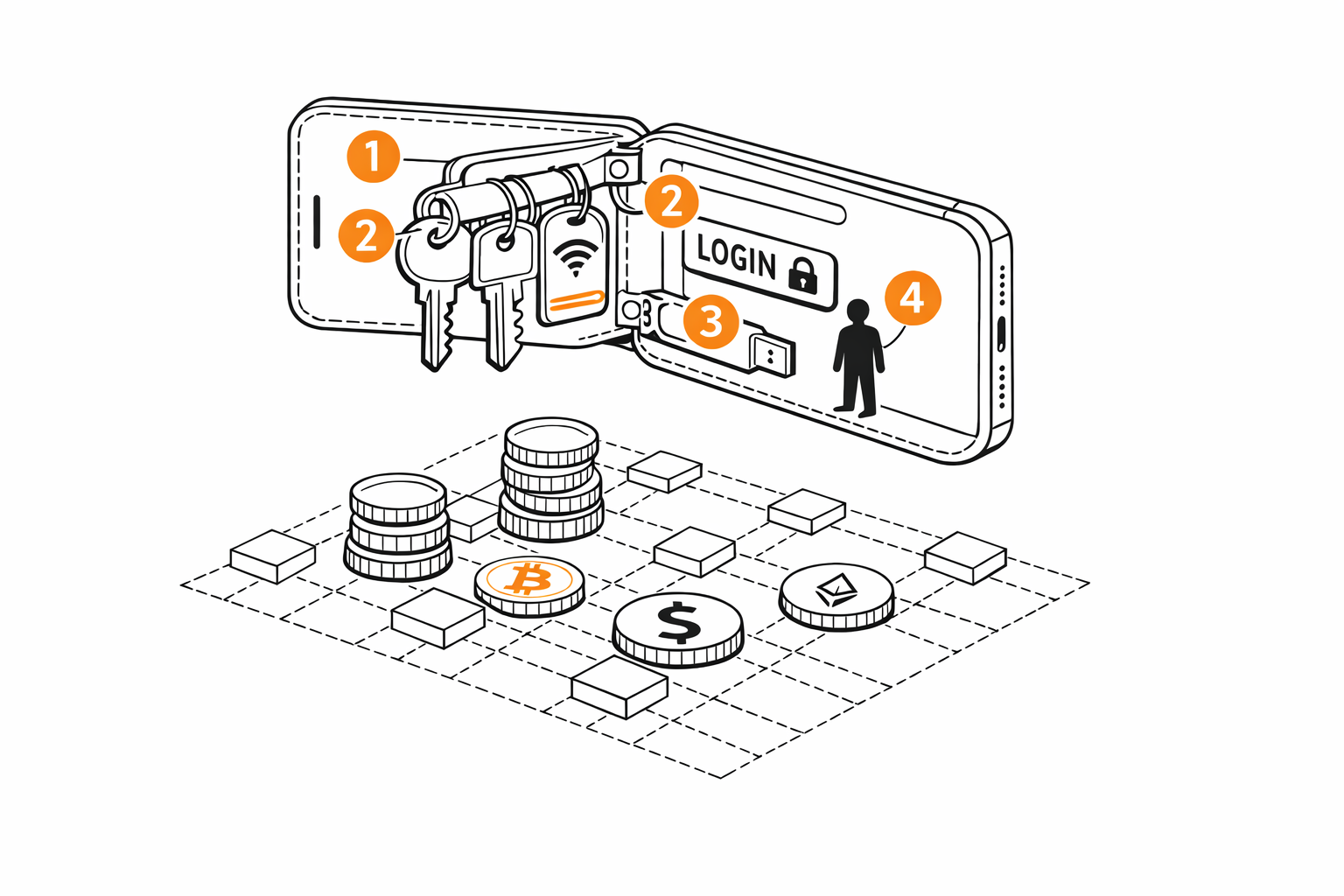
A wallet is closer to a key organizer than a purse full of coins.
That is why wallets matter so much. They are not just nice-looking interfaces. They are the tools that stand between you and the part of the ledger you can spend from.
Choosing Your First Wallet
Maya’s first decision is not “Which app is coolest?” It is “Who controls the keys?”
Custodial wallet:
- A company holds the keys for you.
- Recovery is easier.
- You are trusting that company not to freeze, lose, or misuse access.
Non-custodial wallet:
- You hold the keys.
- You get real control.
- You also take on the backup responsibility yourself.
For learning, the beginner-safe path is usually:
- use a non-custodial wallet
- keep the amount small
- test backup and recovery before trusting the wallet with more
The first goal is not the perfect wallet. It is a wallet you can understand. If the responsibility feels heavy, lower the amount while learning. Do not lower the backup standard.
Warning: Custody changes the failure mode
A custodial wallet may feel familiar because it behaves like an ordinary account. That familiarity usually means a company can freeze access, delay withdrawals, or decide how recovery works.
A non-custodial wallet asks more from you, but it is also the first time the ownership model becomes real. Start small enough that you can afford to learn carefully.
Then choose a form factor:
- Mobile wallet for small everyday amounts and fast learning
- Desktop wallet if you want a larger screen or more controls
- Hardware wallet when the amount starts to feel important
If you are new, a mobile wallet is usually enough for the first pass.
Try It: A Good First Wallet
Look for:
- backup instructions before you fund it
- receive and send screens that are easy to read
- a clear restore or import path
- a setup flow you can test with a tiny amount
Be cautious if:
- it is hard to tell who controls the keys
- the backup path feels hidden or optional
- the app feels confusing before you even try a first receive
What You Actually See
Most wallets hide the cryptography on purpose.
You usually do not see a raw public key. You see:
- a receive address
- a QR code
- a send screen
- a confirmation prompt
The useful beginner rule is this:
- an address or QR code is safe to share for receiving
- a private key or seed phrase is never safe to share
Two facts about addresses save a lot of confusion later.
First, one seed phrase makes as many addresses as you will ever need. The wallet derives them from the seed in order, so a backup of the words is a backup of every address the wallet has shown you or ever will. Many wallets show a fresh address each time you tap Receive. That is normal, and the old ones keep working.
Second, an address is not the key. The wallet computes an address from the public half of a key, and there is no way to run that computation backwards. Handing someone an address tells them where to pay you and nothing else.
Test before trust. A wallet is not real to you until you have received, restored, and sent with a small amount.
Getting A Small Amount
Once the wallet is ready, Maya needs a tiny amount to learn with. Five to ten dollars is plenty. The goal is not investment. It is practice material.
There are a few common paths:
- An exchange or app. Services like Cash App, Coinbase, or a local equivalent let you buy a small amount with a bank account or card. The important beginner step is the withdrawal: once you buy, send the Bitcoin to your own wallet. If it stays on the exchange, you are using a custodial account, not your own keys.
- A Bitcoin ATM. These exist in many cities. They accept cash and send Bitcoin to an address you provide. Fees are often higher than online exchanges (sometimes 5–10%), but the process is fast and does not always require an account.
- From another person. If you know someone who already uses Bitcoin, ask them to send you a small amount. You give them the receive address or QR code from your wallet. This is the simplest path and the one that feels most like the rest of the book.
- Earn some. Ask to be paid a small amount for a task, a product, or a favor.
Warning: Most on-ramps require identity verification
Exchanges and ATMs in most countries require some form of identity check (called KYC—know your customer) before you can buy. This usually means a government ID and sometimes a photo. It is a legal requirement, not a scam. But it does mean your purchase is tied to your identity. If that matters to you, buying from another person or earning Bitcoin avoids this step.
Do not optimize for price, ideology, or long-term storage yet. Optimize for a safe first experience.
Your first wallet should hold a learning amount, not a life-changing amount.
Try it. Make a seed and a wallet, then derive an address, in LiveWallet: wallet/seed-and-wallet.livemd.
Try it. See how keys become an address: wallet/keys-and-addresses.livemd.