Chapter 6
First Transaction
You have a wallet and a backup. Now the part you came for.
Maya wants to receive a small amount and send a small payment without doing anything reckless.
Receiving Comes First
Before sending, you usually receive.
The wallet will normally show a receive screen with:
- an address—a long string of letters and numbers, like
bc1qxy2kgdygjrsqtzq2... - a QR code that encodes the same address
- maybe a local-currency estimate beside the Bitcoin amount
The practical move is simple: if someone is paying you in person, let them scan the QR code. If they are paying you remotely, copy the address carefully.
If you paste an address, glance at the beginning and end before confirming. Small checks prevent boring mistakes.
Sharing a receive address is normal. Sharing a seed phrase is never normal.
Before You Send: Check The Network
This book uses Bitcoin as the default for your first transaction. The addresses, fees, and confirmation times in these examples all assume the Bitcoin network.
There are other networks with similar names—you may encounter them as you explore further. Network Reference has a short reference if you need it. For now, the only thing that matters is this: make sure you and the recipient are on the same network before you send.
Warning: Sending on the wrong network
Sending to an address on a different network can mean lost funds or a confusing rescue attempt. When in doubt, stop and check. A tiny test send is always cheaper than a mistake.
Sending Is Signing A Message
Remember the sealed letter from earlier. A Bitcoin transaction is not shipping a coin through the internet. It is composing a message—“pay this much to this address”—and signing it with your key.
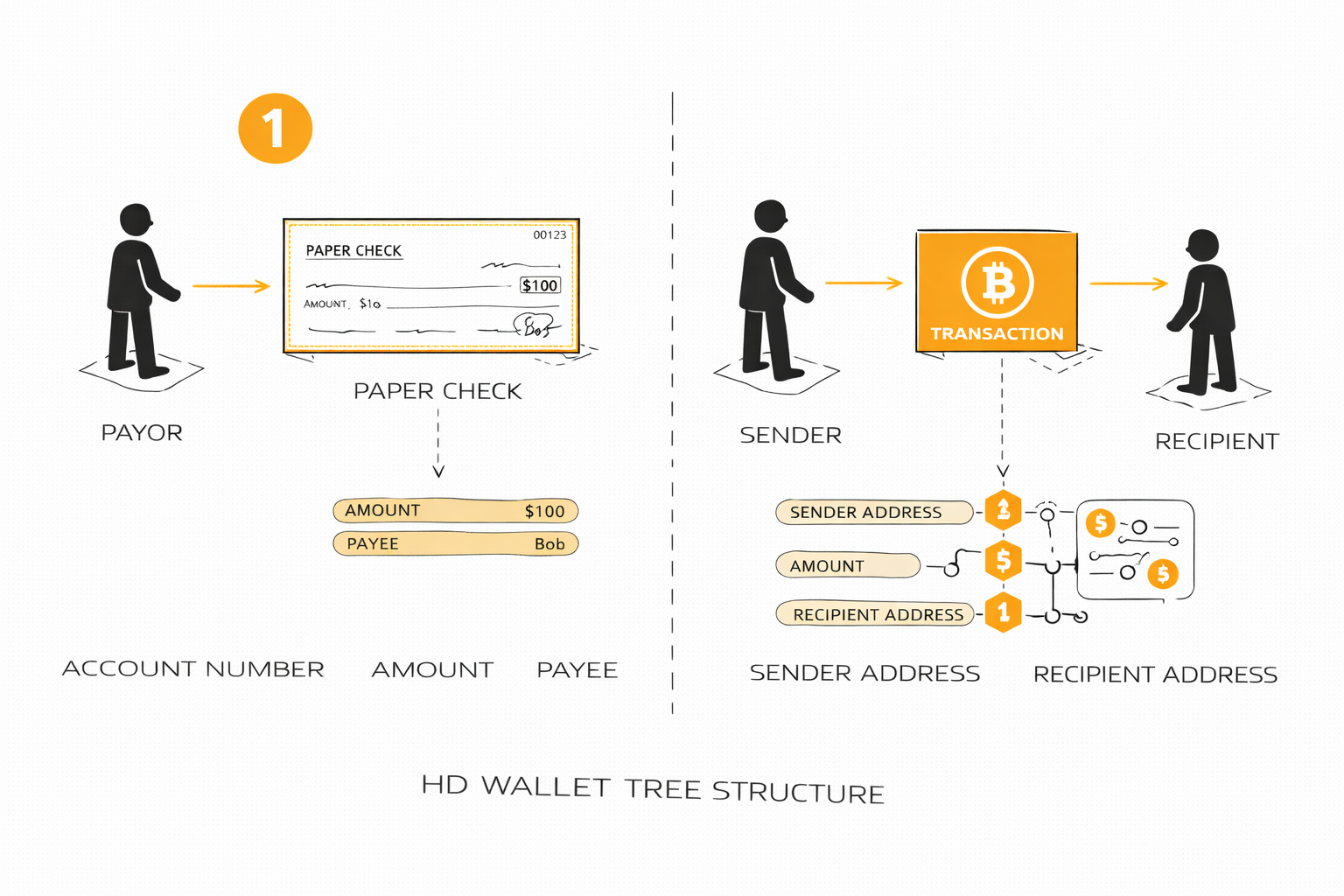
A transaction is an instruction to move value, similar in spirit to a signed check.
Your wallet helps you fill in the practical parts:
- who is getting paid (the address)
- how much to send (the amount)
- what fee to attach (the postage)
- whether the final review looks right
When you tap confirm, the wallet seals the message with your signature and sends it to the network. The network checks the seal, confirms you have the funds, and delivers the payment.
That is why losing your key is different from losing a password. A password can be reset by whoever runs the system. A signature key is yours alone—nobody else can reset it, and nobody else can forge it.
The Sender Pays For Delivery
Transactions also work like sending a letter with postage.
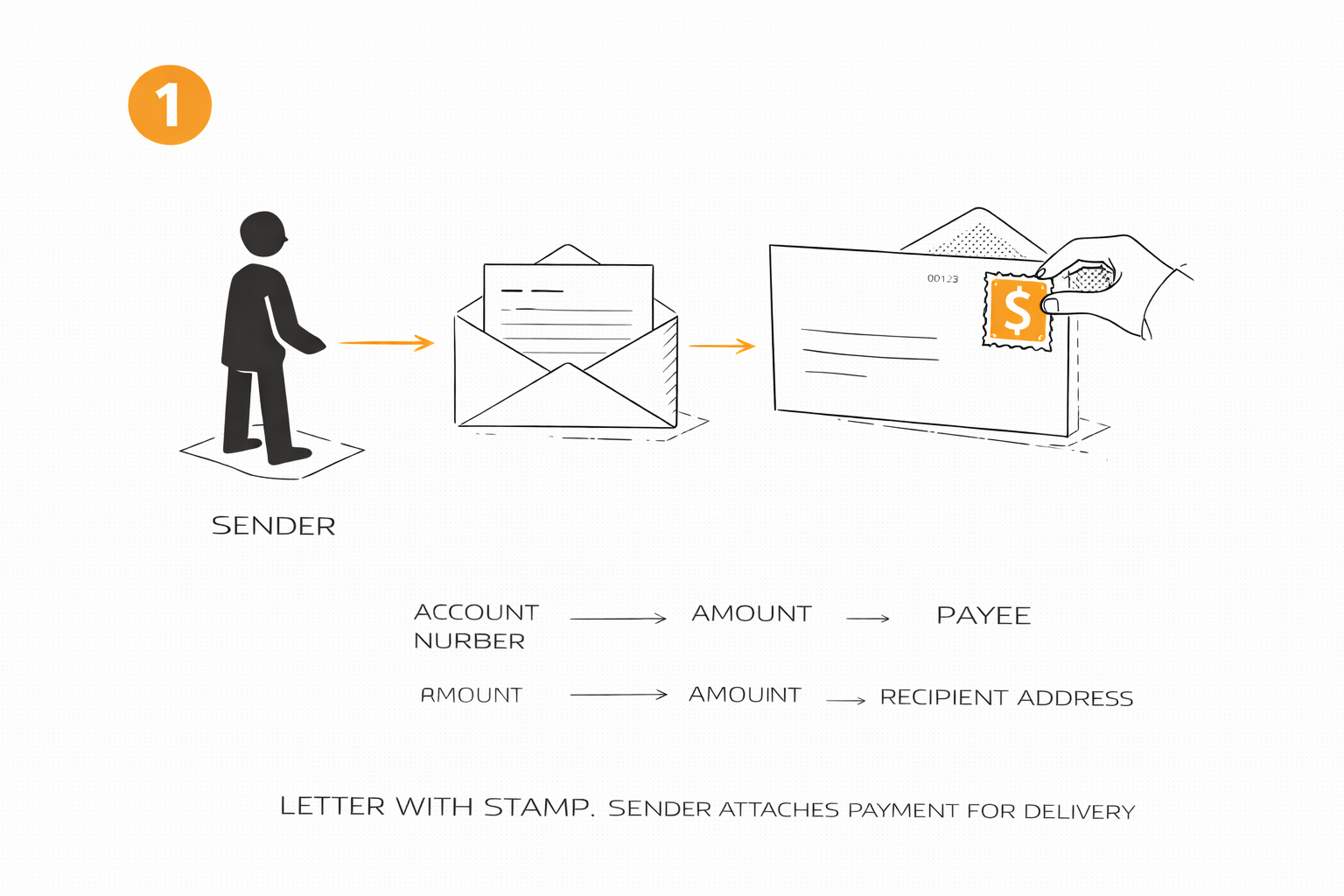
The sender attaches the fee, much like attaching postage to a letter.
You attach a fee because the network needs a reason to process the transaction. The receiver does not pay that delivery cost. The sender does.
There is one more line on the receipt that surprises people the first time. Your wallet does not draw four dollars out of a balance. It spends whole chunks of earlier payments, the way you hand over a twenty-dollar bill for a four-dollar coffee. Whatever is not going to the recipient comes back to you as change, at an address inside your own wallet. The wallet handles this on its own. The fee is what is left after the payment and the change: the part of the bill nobody claimed, which the network keeps for delivering the transaction.
So when you look the transaction up later, expect two destinations, one for the recipient and one back to you. That second line is not a mistake and not a double payment.
For a first transaction, that means:
- accept the wallet’s default fee unless you have a reason not to
- send a very small test payment first
- do not rush the confirmation screen
What It Actually Looks Like
Here is what Maya’s first send looks like in practice.
She opens her wallet and taps Send.
She pastes Rosa’s address—it starts with bc1q and looks like a long
string of random characters.
She enters 50,000 satoshis, which her wallet shows as about $4.
The suggested fee is around 500 satoshis—a few cents.
She reviews: right address, right amount, small fee.
She taps Confirm.
The wallet shows “Pending.” About twelve minutes later, it changes to “1 confirmation.” The money has arrived. Rosa’s wallet now shows the same amount.
Total time: under fifteen minutes. Total cost: a few cents in fees.
Try It: A Safe First Send
Before you start:
- make sure the wallet is backed up
- have the recipient’s address or QR code ready
- confirm you are both on the same network
- keep the amount small enough to treat as practice
Then do this:
- get the address or QR code from the recipient
- open the wallet’s send screen
- enter the amount
- review the fee and final details
- confirm the transaction
If you are nervous: do the first send to another address you control.
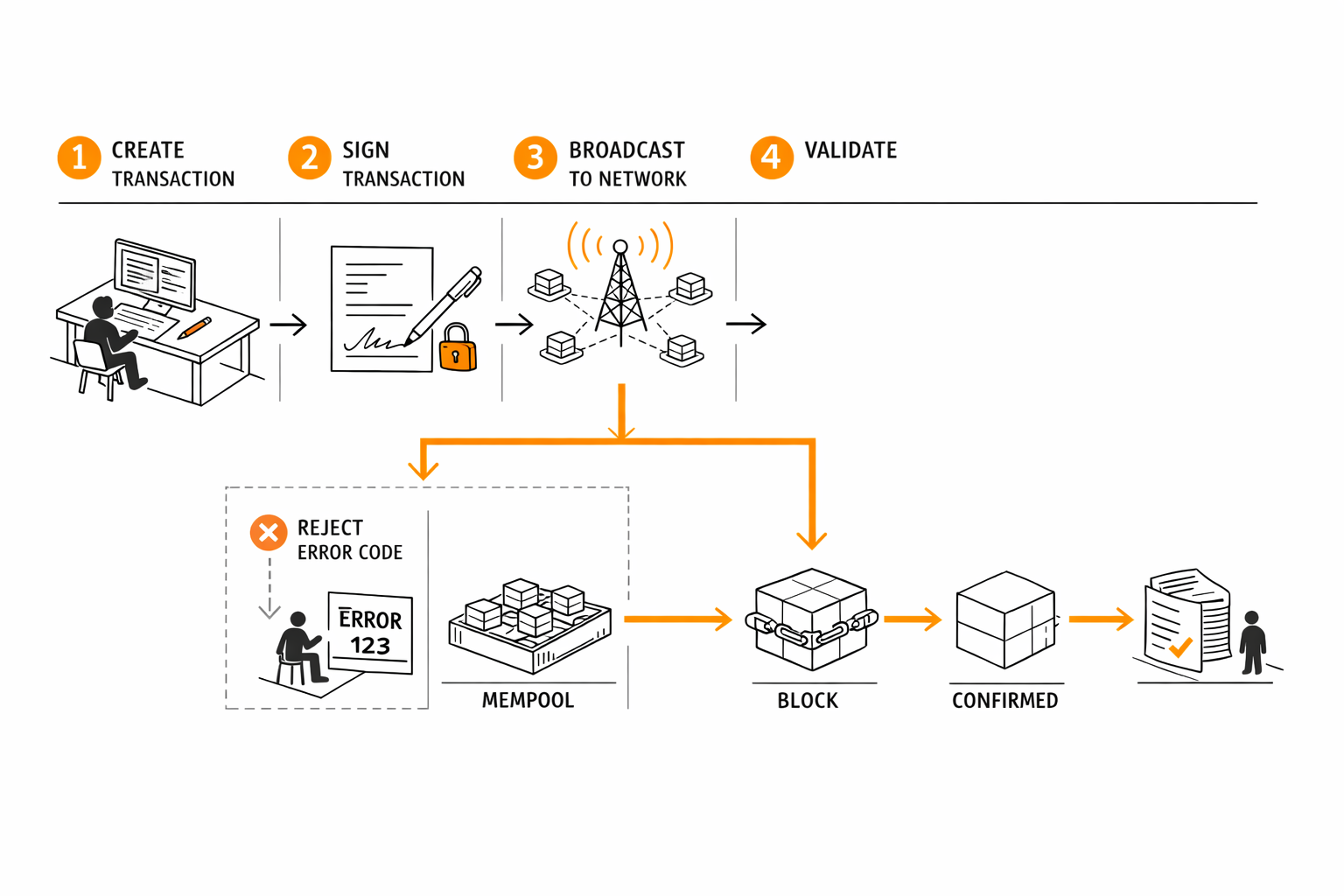
A transaction is created, broadcast, checked, and then either confirmed or rejected.
Most wallets will show the transaction in history immediately, even before it is confirmed in a block.
If Maya is nervous, the safest first send is often to herself: one address in the wallet paying another address in the same wallet.
Pending Is Not The Same As Broken
After you send, the usual first status is something like:
- pending
- unconfirmed
- broadcasting
That does not usually mean failure. It means the transaction has been created and is waiting to be included in a block. A first confirmation typically takes around ten minutes, but it can be faster or slower depending on network traffic.
Then, once it is confirmed, the payment becomes much harder to unwind. That is why Bitcoin can feel both empowering and unforgiving.
Pending is normal. Reversed by customer support is not. If the wallet gives you a transaction ID, that is your receipt for checking the payment later.
When Things Go Wrong
Maya sends a payment and twenty minutes later it still says “Pending.” She wonders if she made a mistake.
Usually, this just means the network is busy. The transaction is waiting its turn. If she attached a typical fee, it will almost always confirm within an hour.
What she should do: nothing. Wait. Check the transaction ID on a block explorer if she wants reassurance. The explorer will show whether the network has seen the transaction and how close it is to being confirmed.
What she should not do: send the same payment again. That is how beginners accidentally pay twice.
Warning: Bitcoin does not have an undo button
If Maya sends to the wrong address, there is no customer support line to call. The payment is a signed message, and once the network confirms it, it is final.
This is why the book keeps saying: check the address, keep the amount small, and treat the first sends as practice. The finality that makes Bitcoin powerful also makes carelessness expensive.
Mistakes To Avoid On The First Send
Most beginner mistakes are not exotic. They are ordinary rushed mistakes.
- sending too much on the first try
- mixing up the amount or units (satoshis vs. whole bitcoin)
- not checking the address beginning and end
- panicking when the transaction is still pending
- assuming Bitcoin works like a credit card and can be reversed later
- sending on the wrong network without checking the ticker first
Action Checklist
- ☐ confirm the ticker and network match
- ☐ receive a small amount first
- ☐ send a small test payment to yourself or a trusted recipient
- ☐ watch it move from pending to confirmed
- ☐ check the transaction ID on an explorer
- ☐ only then increase the amount
The best first transaction is boring: small amount, careful check, ordinary fee, patient wait.
The LiveWallet notebooks start on testnet. That is play money on a copy of the network. Real coins are a deliberate switch, made only on a Livebook you run yourself. Keep the amount under one dollar while you learn.
Try it. Receive a small test payment: transactions/receive.livemd.
Try it. Send a small test payment: transactions/send.livemd.